## Bring your own servers, push to deploy, see what's actually happening, and keep your streak alive
Big one. Self-hosted Agents let you run Frames on your own servers. The managed platform gets push-to-deploy from GitHub, preview URLs for every pull request, one-click rollback, and status that updates the moment something changes. There's a new metrics tab on every Project, a streak counter in the sidebar, transactional email for the things you'd want to know about, and a sidebar that gets out of your way. No YAML, no runners.
### Introducing self-hosted Agents
If you want to run on specific hardware, keep data on-premise, or use a server you already own, install the [Nubo Agent](/agents/overview) on Linux or macOS. Deploy Frames to it from the same dashboard you'd use for our managed cloud.
The agent is a single binary that connects back to Nubo and waits for work. Install it, point wildcard DNS at your server, and you're set. Your Frames get their own subdomain on a domain you control, with TLS via ACME.
Everything else in this release works the same on self-hosted Agents as on managed Frames: push-to-deploy, preview deployments, live status, deploy history, one-click rollback, environment variables, custom domains.
See the [Agents overview](/agents/overview) for when to use one, or [Quickstart](/agents/quickstart) to install your first agent.
### Push to deploy
Install the [Nubo GitHub App](https://github.com/apps/nubo-application) on your repo. Every push to your Frame's tracked branch triggers a build and release.
Three knobs if you need more control:
* `[skip ci]` or `[ci skip]` in a commit message skips that push.
* **Ignored paths** (e.g. `docs/**`, `*.md`) skip builds when only matching files changed. Useful in monorepos or for docs-only commits.
* **Auto-deploy** can be toggled off if you'd rather trigger builds manually.
It all lives on the Frame's new **CI/CD** tab. See [CI/CD](/ci-cd).
### Personal access tokens for scripted clients
Anything automated that talks to Nubo (CI runners, deploy bots, your own scripts) should now use a **personal access token** instead of your login session. Create one in **Settings → Developer tokens**, give it a name and an optional expiration, and send it as `Authorization: Bearer nubo_pat_...`.
You see the token exactly once at creation. We store it as a hash, never in plaintext, and you can revoke it instantly from the same page. Give each integration its own token so a leak or a team change only affects that scope. See [API authentication](/api-reference/authentication).
### Date-based API versioning
Pin your API client to a specific contract with the `Nubo-Version` header:
```
Nubo-Version: 2026-05-24
```
* **Most releases ship under the same date.** Bug fixes, new endpoints, and tuning don't move your pin. A new version is only cut when a change would actually break existing clients (field removed, type changed, validation tightened).
* **Unpinned clients get the oldest supported version**, so a new version never silently upgrades your integration.
* **Responses include a `Nubo-Build` header** naming the exact build that served them, useful for confirming what your client actually got.
* **Old versions overlap new ones** for at least one release cycle before being retired.
Production integrations should pin. Scripts and one-offs can skip the header and ride the default. See [Stability policy](/api-reference/stability) for the full rules, and [Authentication](/api-reference/authentication) for where it fits in a request.
### Preview deployments for every PR
Every pull request against your tracked branch now gets its own running copy of the app at a Nubo-assigned URL. Share it with teammates, click around, show a customer what's coming. What they see is what will ship.
Previews rebuild on every push to the PR and tear themselves down when the PR closes. Project-scoped [environment variables](/environment-variables) carry over, so your secrets and config keep working. See [Preview deployments](/preview-deployments).
### One-click rollback
Shipped a bad commit? Open the Deployments tab, pick a previous working deploy, hit **Rollback**. Your Frame is back on that version in seconds, no rebuild. Same on managed cloud and self-hosted Agents. See [Rollback](/rollback).
### Cancel a deploy in progress
Pushed the wrong commit, or watching a doomed build run to the end? Hit **Cancel** on a still-building deploy and Nubo stops it. Your Frame stays on whatever was already running, so there's no harm in pulling the cord. See [Cancel a deploy](/deployments#cancel-a-deploy-in-progress).
### Stop and start a Frame
Hit **Stop** to take a Frame offline: replicas scale to zero on our cloud, the container stops on a self-hosted agent. Hit **Start** to bring it back. Config, deploy history, and domains stay where they were. See [Stop and start a Frame](/frames#stop-and-start-a-frame).
### Live Frame status
Your Frame's status updates in the dashboard the moment it changes. No refresh, no polling. If an app crashes, runs out of memory, or fails its health check, the dashboard flips to an error state and shows the reason. You shouldn't have to read logs to find out something's wrong.
### A real deploy history
Every build is now a record you can browse. Open the Frame's **Deployments** tab to see the commit, the time, what triggered the deploy, and whether it succeeded. Pull the same data programmatically:
```bash theme={null}
curl "https://shuttle.withnubo.com/v2/projects//spaces//frames//deployments?limit=20" \
-H "Authorization: Bearer "
```
### Build logs, captured on every build
Every build's full output is captured the moment the build finishes, success or failure. Build logs are kept for 7 days. The latest deploy of each Frame is kept on top of that, so you'll always have the most recent log even if older ones have aged out. Past 30 days, we return an "expired" signal so you can tell aged-out logs from a real fetch error.
### Live runtime logs
The Frame's Logs tab now streams live lines from your running app, not just build output. Open the tab while a Frame is online and you'll see what your code is printing right now, with no refresh and no log file path to remember. Multiple tabs subscribed to the same Frame all see the same stream, and the line ordering matches what your app actually emitted.
### Custom domains for any Frame
Bring your own hostname. Add a custom domain from the Frame's Domains tab, point your CNAME or A record at the value Nubo gives you, and we handle TLS. Domains are managed per Frame, so the same Project can serve `app.example.com` from production and `staging.example.com` from your staging Space. Works the same on self-hosted Agents under your wildcard. See [Custom domains](/custom-domains).
### Auto-pause for crashlooping Frames
If a Frame crashes or runs out of memory five times in a row, or stays stuck pulling its image for more than three minutes, Nubo scales it to zero and shows a `backoff_tripped` reason on the status. The next push (or a manual Deploy) scales it back up, so a fresh image clears the trip. The platform takes a stuck Frame out of the loop until you ship a fix.
### A metrics tab for every Project
Open any Project and there's a new **Metrics** tab in the header. It answers the "how is this thing actually doing?" question:
* **Health at a glance**: total Frames, how many are online, how many need attention.
* **CPU and memory**: the last 7 days as area charts.
* **Build performance**: p50, p95, and average build time over the last 14 days, so you can spot when builds start creeping up.
* **Per-Frame breakdown**: replicas, domains, deploy count, failure count, mean time to recover from a bad deploy, and the time of the last deploy. Sortable by any column.
* **A 14-day deploy bar chart** with success and failure layered, so flaky runs stick out.
The Project page gets a compact preview of the metrics under the architecture, so you can take the temperature without switching tabs.
### Build a streak
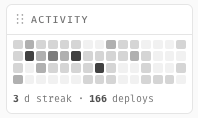
The sidebar has a new activity widget at the bottom. It tracks how many days in a row you've shipped something and rewards you with milestones as you climb:
* **3 days**: heating up
* **7 days**: on fire
* **14 days**: blazing
* **30 days**: diamond
* **50 days**: legend
* **100 days**: GOAT
Each tier recolors the streak counter, the bars under it, and a glowing under-bar that fuses your streak together. We will not pretend this isn't designed to make you want to deploy on a Sunday. It is.
Below the streak there's a 60-day bar chart of your daily deploys so you can see the pattern of your work over a couple of months.
### Email notifications
We now send transactional emails for the things you actually want to know about:
* **Welcome** when you sign up.
* **Replies on your support tickets**, and a heads-up to our team when you open one.
* **Account state** changes (suspended, reinstated).
* **Build or deploy failures** on your Frames, with the last 30 lines of the build log right in the email so you don't have to log in to see what blew up.
* **Custom domains** when they're connected or removed.
You can reply to any of them and reach a human at `support@withnubo.com`.
### Frame controls in the sidebar
Click any Frame and you'll see a new control strip at the top of the sidebar:
* **Redeploy**: kick a fresh deploy from the latest commit on the tracked branch.
* **Stop / Start**: toggle replicas to zero and back without leaving the page.
* **Open**: jump straight to the Frame's primary domain.
No more bouncing through Settings to do a redeploy.
### Pull from your organization repos
If you installed the Nubo GitHub App on an organization but only saw your personal repos when creating a Frame, that's fixed. The repo picker now spans every installation you have access to on GitHub: personal account first, then each org you belong to. Repos with the same name across different owners are now keyed by full path, so no more collisions.
### A sidebar that gets out of your way
Hit the new chevron in the sidebar header to collapse it to a thin icon-only strip. Each Project shows up as a colored tile with its initials, so you can still pick one without expanding. The notification ping moves onto your avatar at the bottom-left. Click the avatar for a small Profile / Sign out menu, in either state.
### A visual refresh
The architecture canvas, Frame tiles, Frame sidebar, and metrics view now share the same console-style look as the home dashboard: flat surfaces, mono captions, clean status pills. No more status-tinted gradient backgrounds. Status lives in a small dot and a label, so failed Frames stay easy to spot without painting half the sidebar red.
### Other fixes
* The "New Frame" repo picker no longer flickers and re-fetches every 15 seconds while it's open.
* The Frame status dot now correctly shows red for `failed` Frames (was reading as the neutral "unknown" color).
* Deploy timestamps in the metrics view render as readable dates instead of "Invalid Date".
* The architecture canvas is now bounded in height and scrolls inside its own box, so a project with many Frames doesn't push everything else off the page.
* Build logs panel is capped at a sensible height so a chatty deploy doesn't make the sidebar run the full viewport.
* Updating a Frame's settings no longer affects unrelated fields.
* Fetching a single Frame via the API now works correctly under the full path.
Questions or feedback: `support@withnubo.com` or [Discord](https://discord.com/invite/4SM4faYqWQ).
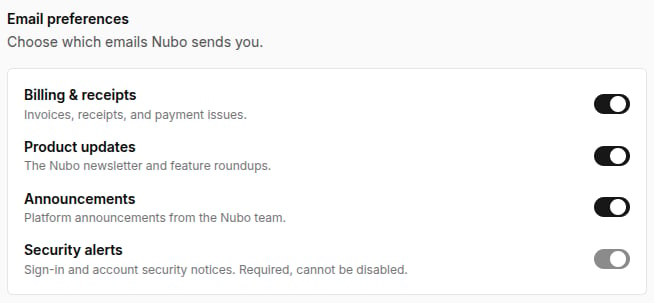 This release adds customizable email preferences, alongside fixes for Raypacks targeting, studio pricing, and environment variables.
### Email preferences
You can now customize which emails you get from Nubo, with the option to unsubscribe, right from your account settings.
### Bug fixes
* Raypacks now target selected repositories.
* Fixed inaccuracies with the studio pricing.
* Fixed environment variables not being injected into Frame deployments.
* Removed redundancies in the Frame spec.
Questions or feedback: `support@withnubo.com` or [Discord](https://discord.com/invite/4SM4faYqWQ).
This release adds customizable email preferences, alongside fixes for Raypacks targeting, studio pricing, and environment variables.
### Email preferences
You can now customize which emails you get from Nubo, with the option to unsubscribe, right from your account settings.
### Bug fixes
* Raypacks now target selected repositories.
* Fixed inaccuracies with the studio pricing.
* Fixed environment variables not being injected into Frame deployments.
* Removed redundancies in the Frame spec.
Questions or feedback: `support@withnubo.com` or [Discord](https://discord.com/invite/4SM4faYqWQ).
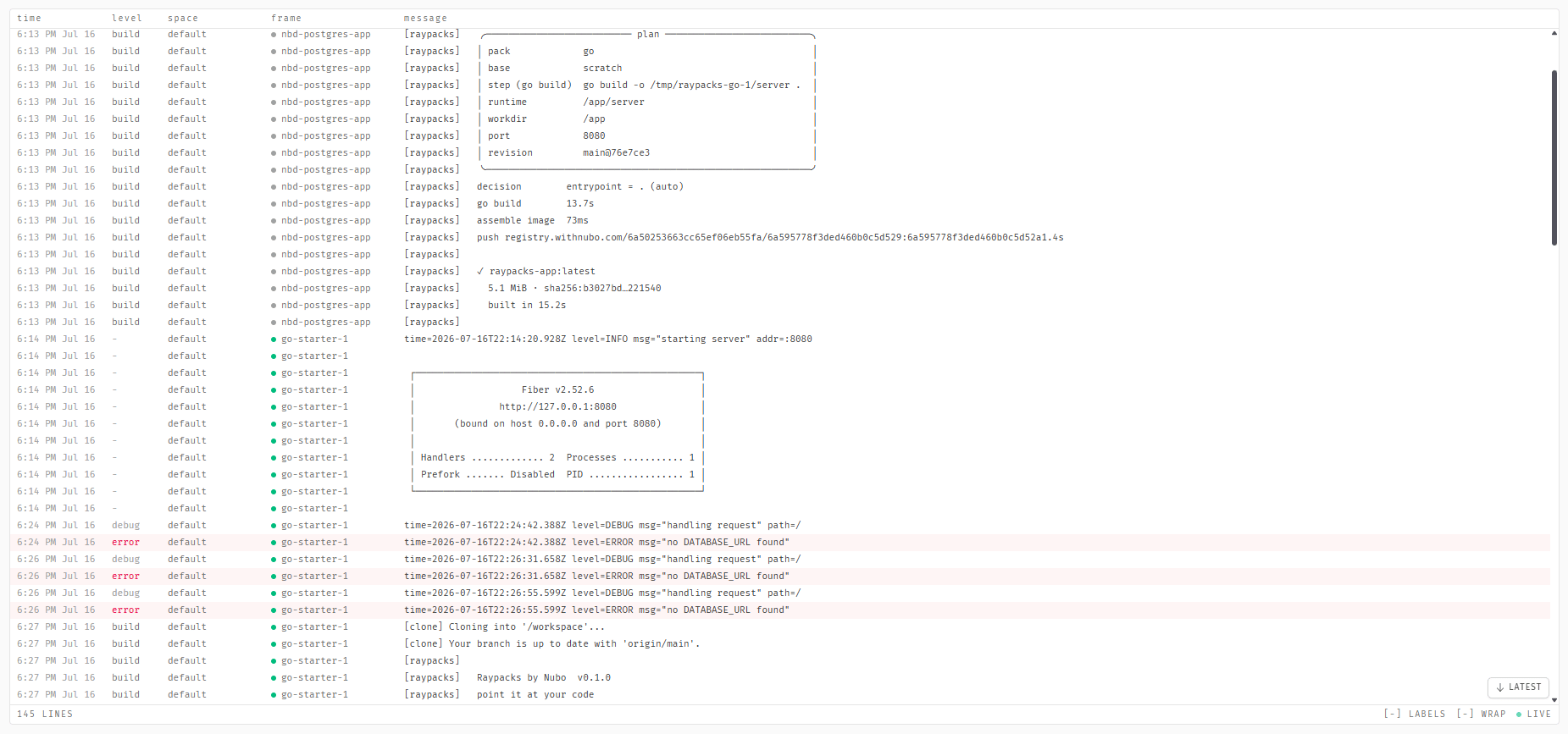 This release brings a unified Project Logs page, a refreshed withnubo.com homepage, and a round of reliability fixes for the gateway and deployments.
### Project logs
Search across every Frame and Space in your project from one place, no more digging through individual build or runtime logs.
* Powerful filter bar lets you search by keyword, exact phrase, or regex.
* Combine filters with AND / OR / NOT, and narrow by space, frame, status, log level, or time range.
* Live-tail support so you can watch new log lines come in as they happen.
* Instantly find every error, warning, or specific issue across your whole project, no matter which Frame it came from.
### Homepage update
We refreshed the withnubo.com homepage with a new look, including an animated banner that shows off our different products, sections highlighting key features, and a live counter showing real deployments happening right now.
### Smaller things worth mentioning
* **Gateway reliability**: Fixed a background issue that could affect how traffic is routed. The system now clearly signals if something goes wrong instead of failing silently, and brief network hiccups no longer disrupt service.
* **Deployment reliability**: Fixed an issue where some deployments could get stuck due to resource limits, and a bug so existing deployments update correctly. Deployments now consistently use the right setup, and addresses stay stable even after redeploying.
Questions or feedback: `support@withnubo.com` or [Discord](https://discord.com/invite/4SM4faYqWQ).
This release brings a unified Project Logs page, a refreshed withnubo.com homepage, and a round of reliability fixes for the gateway and deployments.
### Project logs
Search across every Frame and Space in your project from one place, no more digging through individual build or runtime logs.
* Powerful filter bar lets you search by keyword, exact phrase, or regex.
* Combine filters with AND / OR / NOT, and narrow by space, frame, status, log level, or time range.
* Live-tail support so you can watch new log lines come in as they happen.
* Instantly find every error, warning, or specific issue across your whole project, no matter which Frame it came from.
### Homepage update
We refreshed the withnubo.com homepage with a new look, including an animated banner that shows off our different products, sections highlighting key features, and a live counter showing real deployments happening right now.
### Smaller things worth mentioning
* **Gateway reliability**: Fixed a background issue that could affect how traffic is routed. The system now clearly signals if something goes wrong instead of failing silently, and brief network hiccups no longer disrupt service.
* **Deployment reliability**: Fixed an issue where some deployments could get stuck due to resource limits, and a bug so existing deployments update correctly. Deployments now consistently use the right setup, and addresses stay stable even after redeploying.
Questions or feedback: `support@withnubo.com` or [Discord](https://discord.com/invite/4SM4faYqWQ).
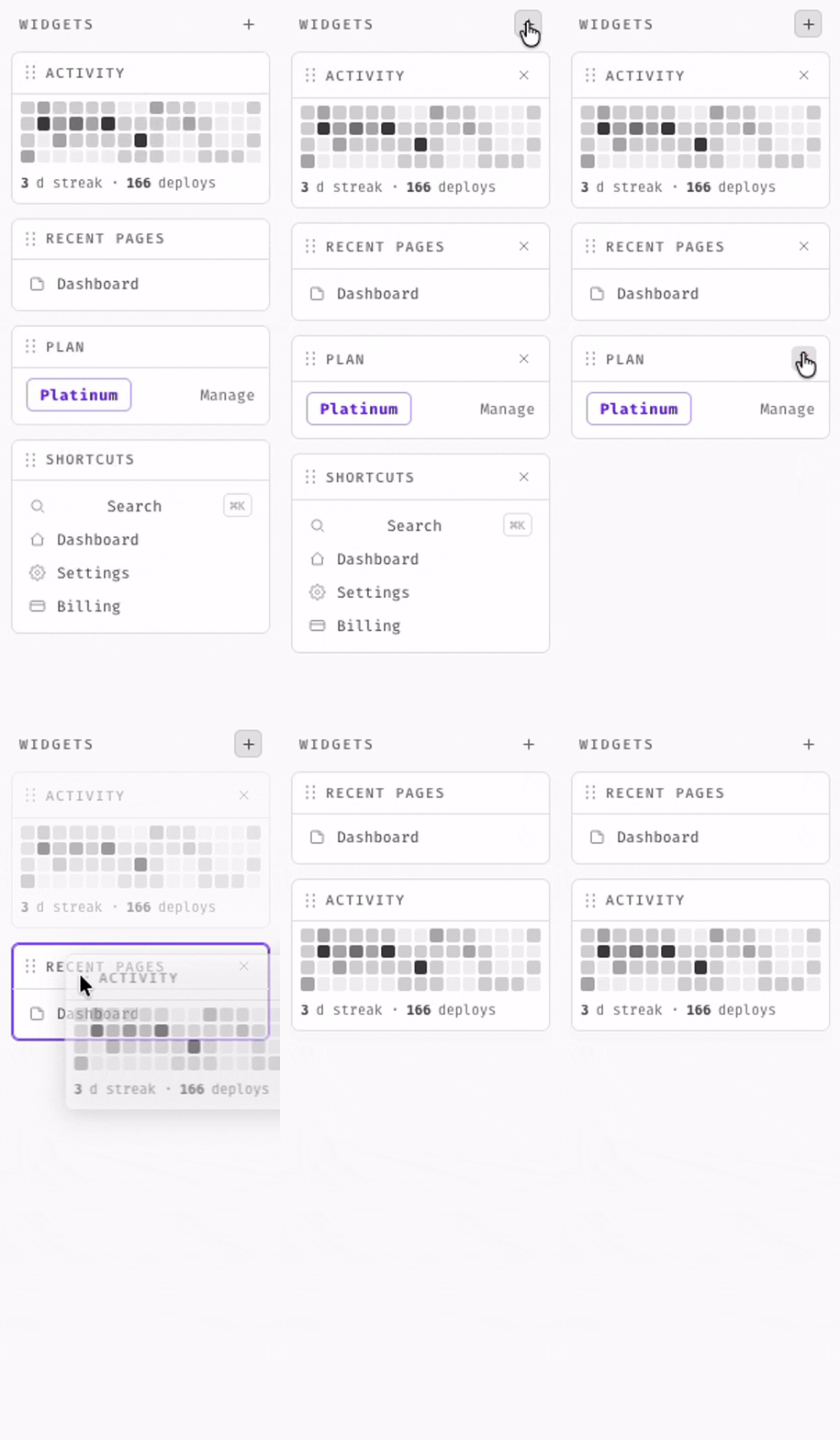
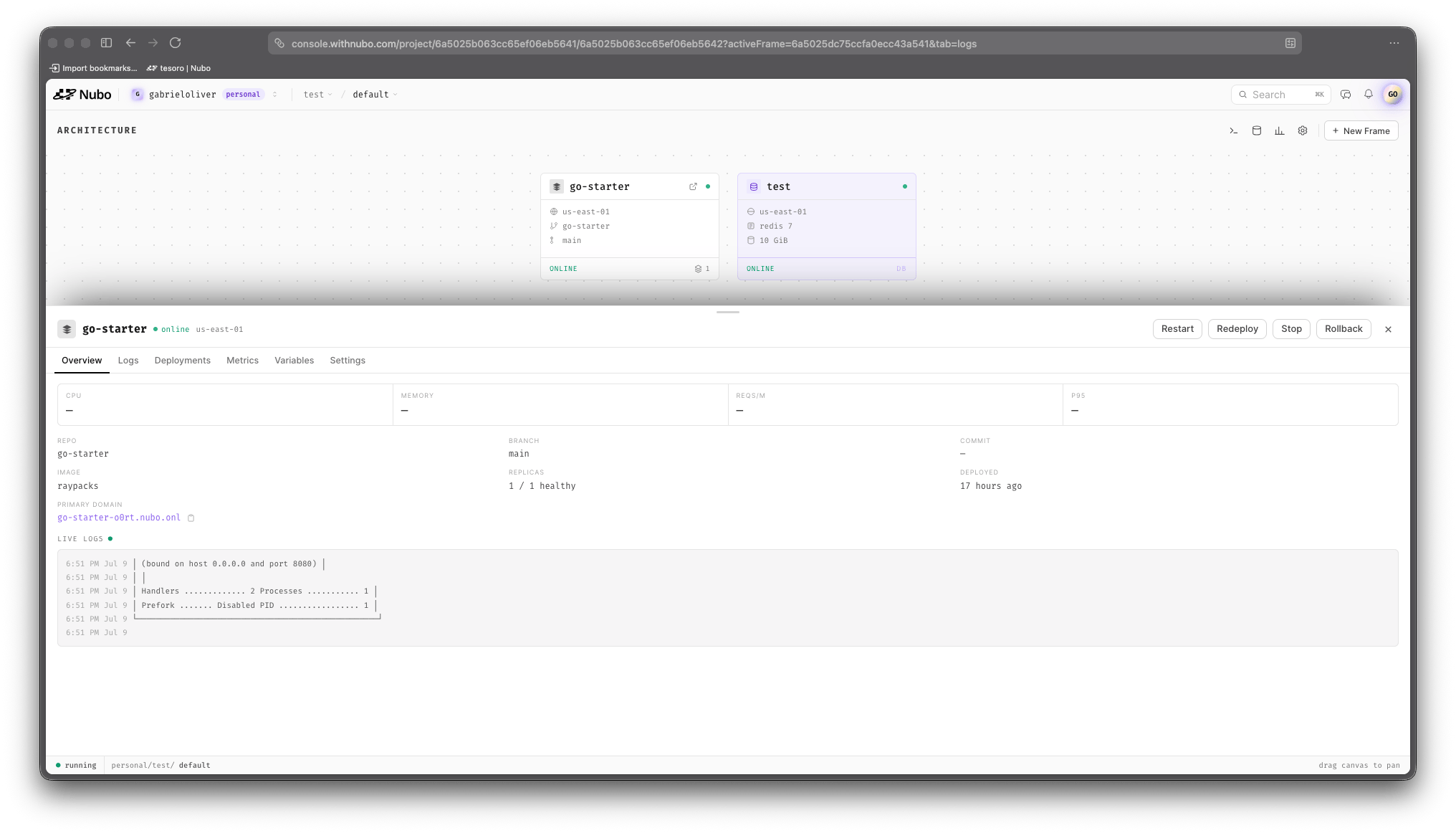 Nubo has a brand-new, optimized look. We've refreshed the entire interface while preserving all the functionality and features you rely on. Alongside the redesign: public profiles and organizations, an improved Frame overview with searchable build logs, a customizable navigation bar, and a round of smaller fixes.
### Public profiles and organizations
Nubo has a brand-new, optimized look. We've refreshed the entire interface while preserving all the functionality and features you rely on. Alongside the redesign: public profiles and organizations, an improved Frame overview with searchable build logs, a customizable navigation bar, and a round of smaller fixes.
### Public profiles and organizations
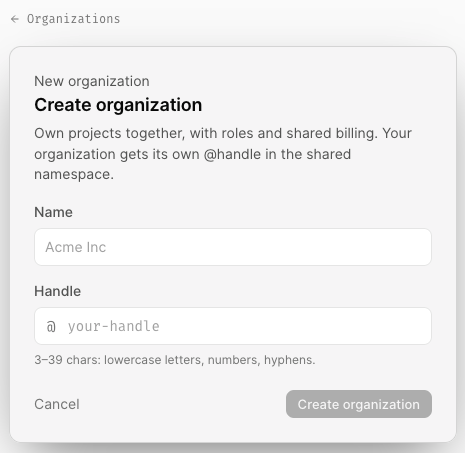
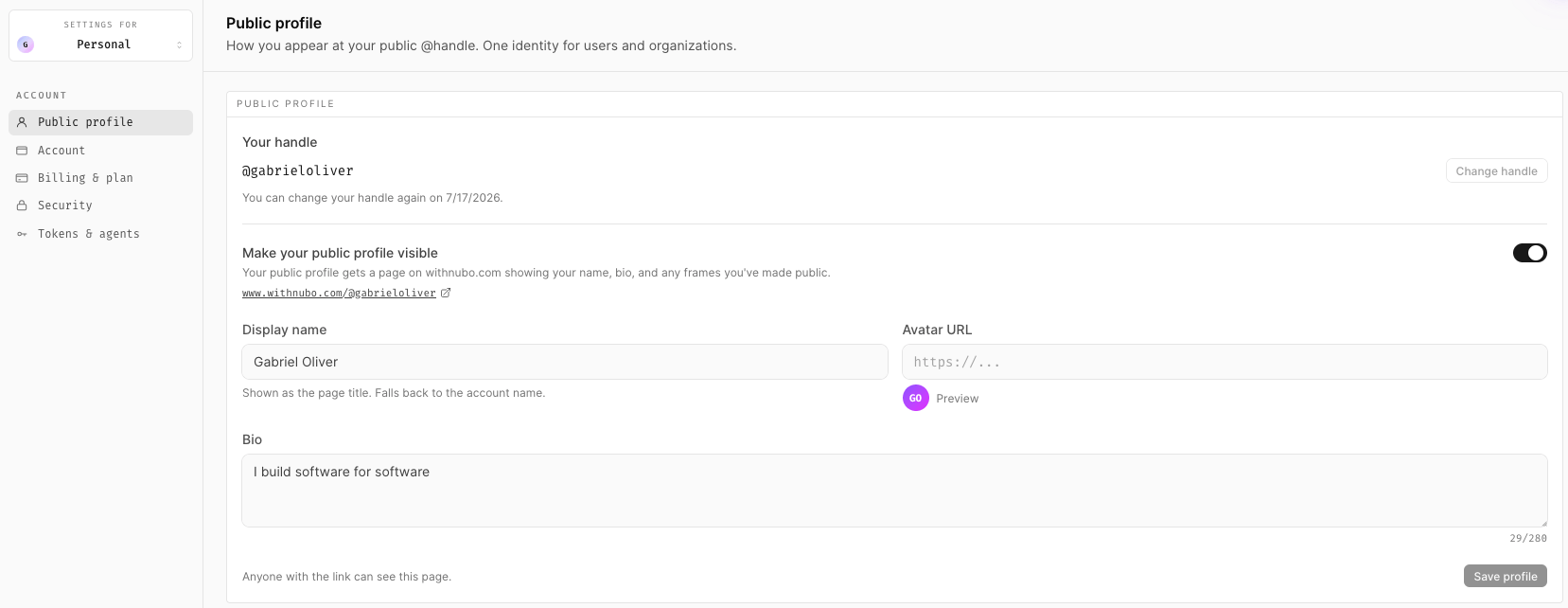
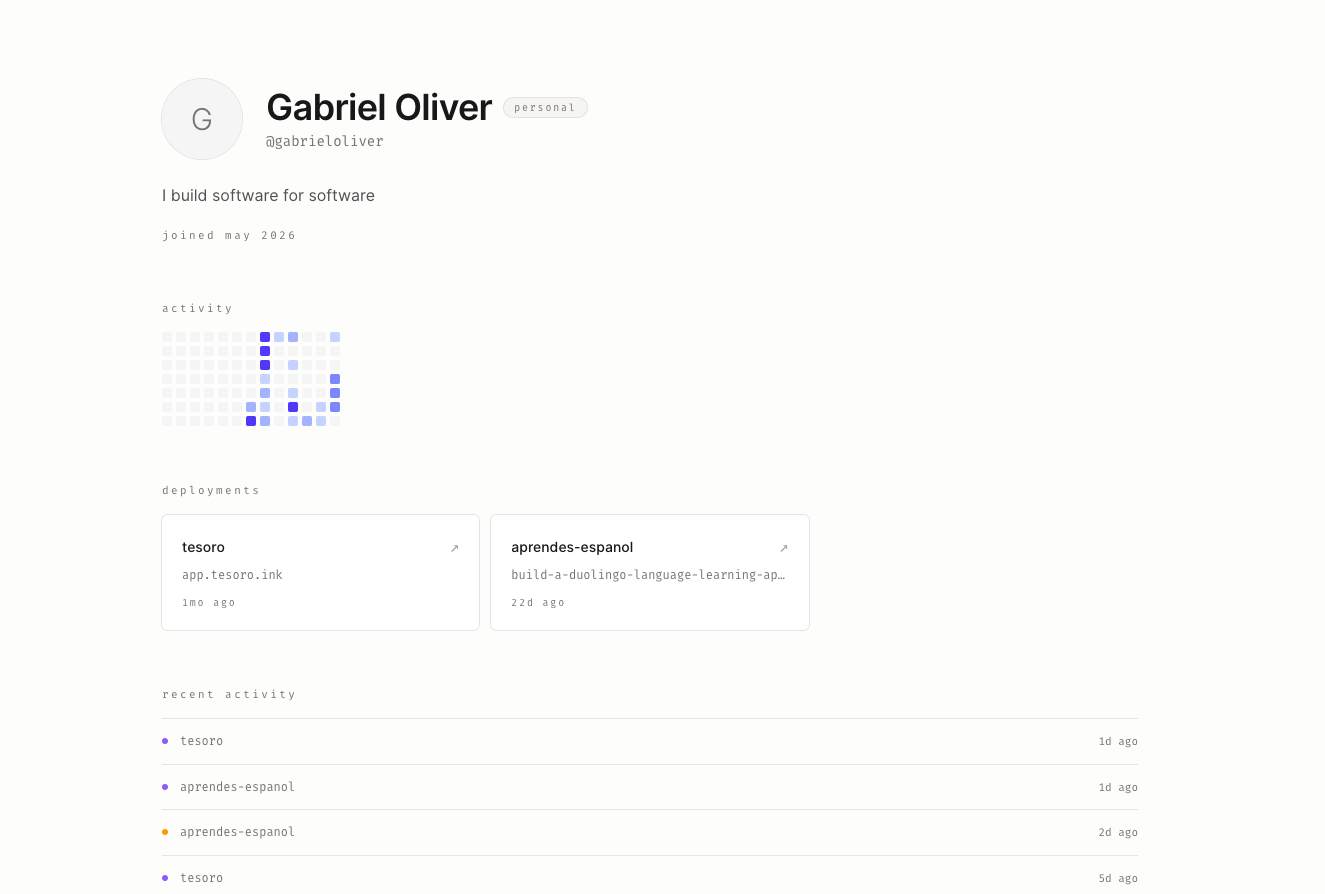 We're introducing public profiles and organizations. Enable a public-facing profile from your Settings page, then toggle individual Frames to public visibility from that Frame's settings. Public Frames appear on your profile, which you can share via a link found in Settings. Our goal is to help you showcase your projects and share your work more easily with the world.
 ### UI/UX Improvements
**Project Table Display**
### UI/UX Improvements
**Project Table Display**
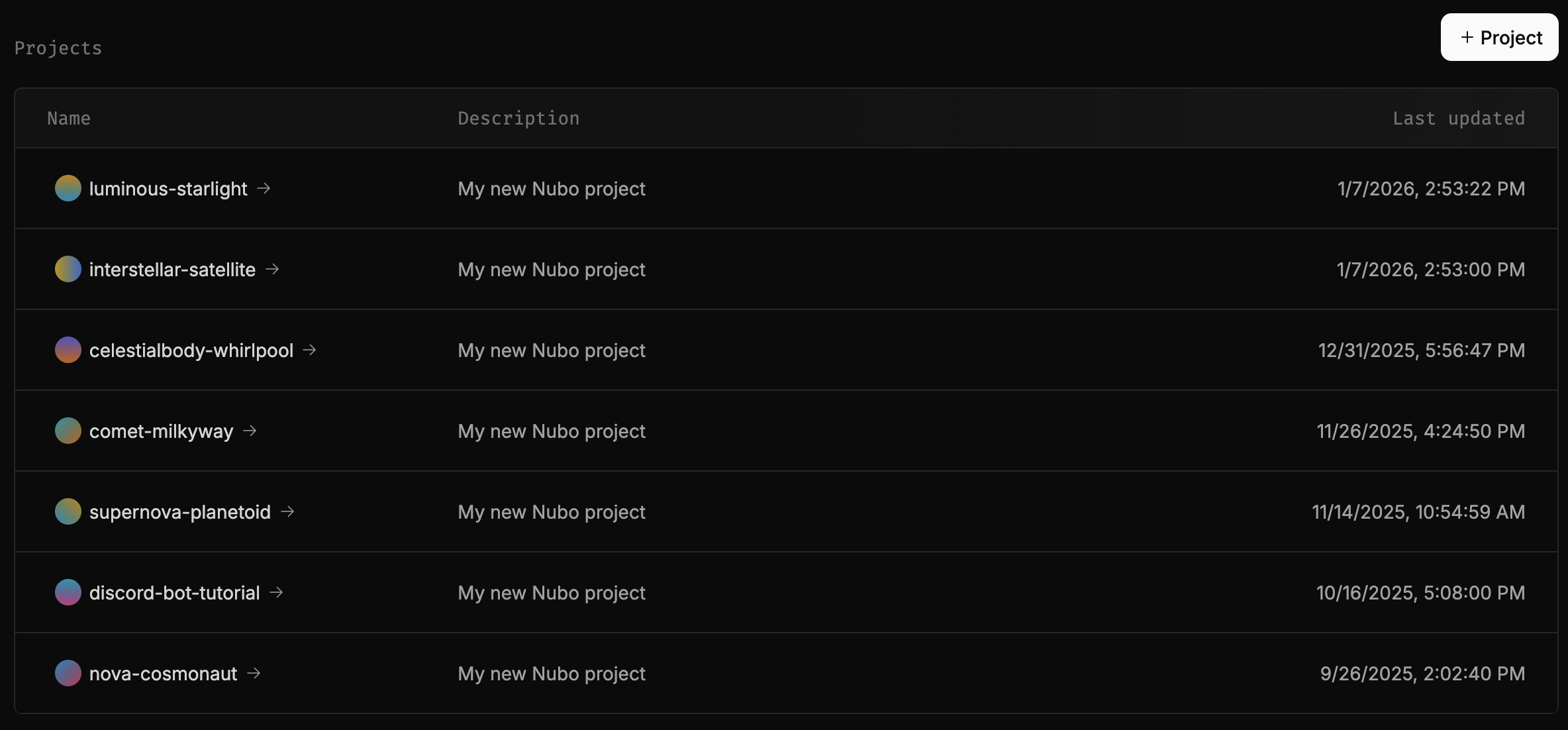 Your projects are now displayed in a table on the homepage. This is in the spirit of making the dashboard more visually appealing and understandable.
**Other Minor Improvements**
We are always looking for ways to make our users experience with Nubo to be not only easy but memorable. Which is why we are dedicated to making our interface as visually pleasing as possible. We have made several minor typography, color, and hierarchical changes around the dashboard.
### Connection reliability
The reliability of our product is priority number one. We put in hard work to ensure that the connection between the frontend and backend stays strong to ensure that our users have little issues with connection.
### Other updates
* Fixed cursor inconsistencies
* Bugs with invalid .env file upload
* Text size adjustments on larger screens
### Conclusion
That's a wrap for this release notes. We hope that you enjoy these new updates. If you have any feedback, feel free to email us at `support@withnubo.com` or join our [Discord](https://discord.com/invite/4SM4faYqWQ)
Your projects are now displayed in a table on the homepage. This is in the spirit of making the dashboard more visually appealing and understandable.
**Other Minor Improvements**
We are always looking for ways to make our users experience with Nubo to be not only easy but memorable. Which is why we are dedicated to making our interface as visually pleasing as possible. We have made several minor typography, color, and hierarchical changes around the dashboard.
### Connection reliability
The reliability of our product is priority number one. We put in hard work to ensure that the connection between the frontend and backend stays strong to ensure that our users have little issues with connection.
### Other updates
* Fixed cursor inconsistencies
* Bugs with invalid .env file upload
* Text size adjustments on larger screens
### Conclusion
That's a wrap for this release notes. We hope that you enjoy these new updates. If you have any feedback, feel free to email us at `support@withnubo.com` or join our [Discord](https://discord.com/invite/4SM4faYqWQ)
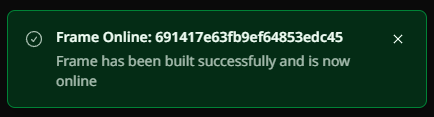 Nubo is more reactive than ever before. Get real-time updates on the status of Projects and Frame deployments. If issues occur, you will be notified. Simply click the message to bring you directly to the associated resource.
### Upload environment variables (`.env`)
Nubo is more reactive than ever before. Get real-time updates on the status of Projects and Frame deployments. If issues occur, you will be notified. Simply click the message to bring you directly to the associated resource.
### Upload environment variables (`.env`)
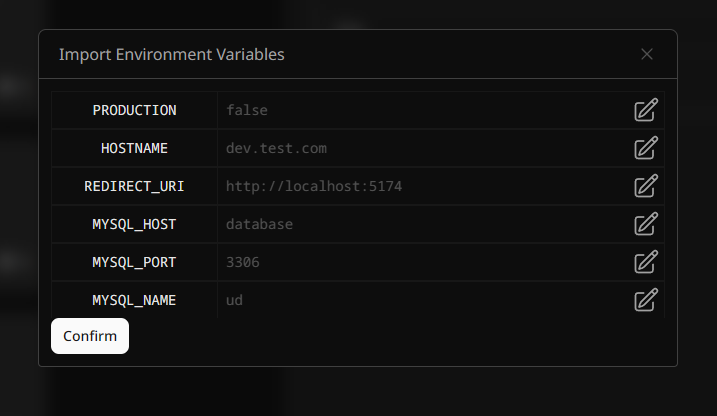 You may now import environment variables directly from a `.env` file. Simply select the "Import variables" button in the Frame's settings.
### Design changes
You may now import environment variables directly from a `.env` file. Simply select the "Import variables" button in the Frame's settings.
### Design changes
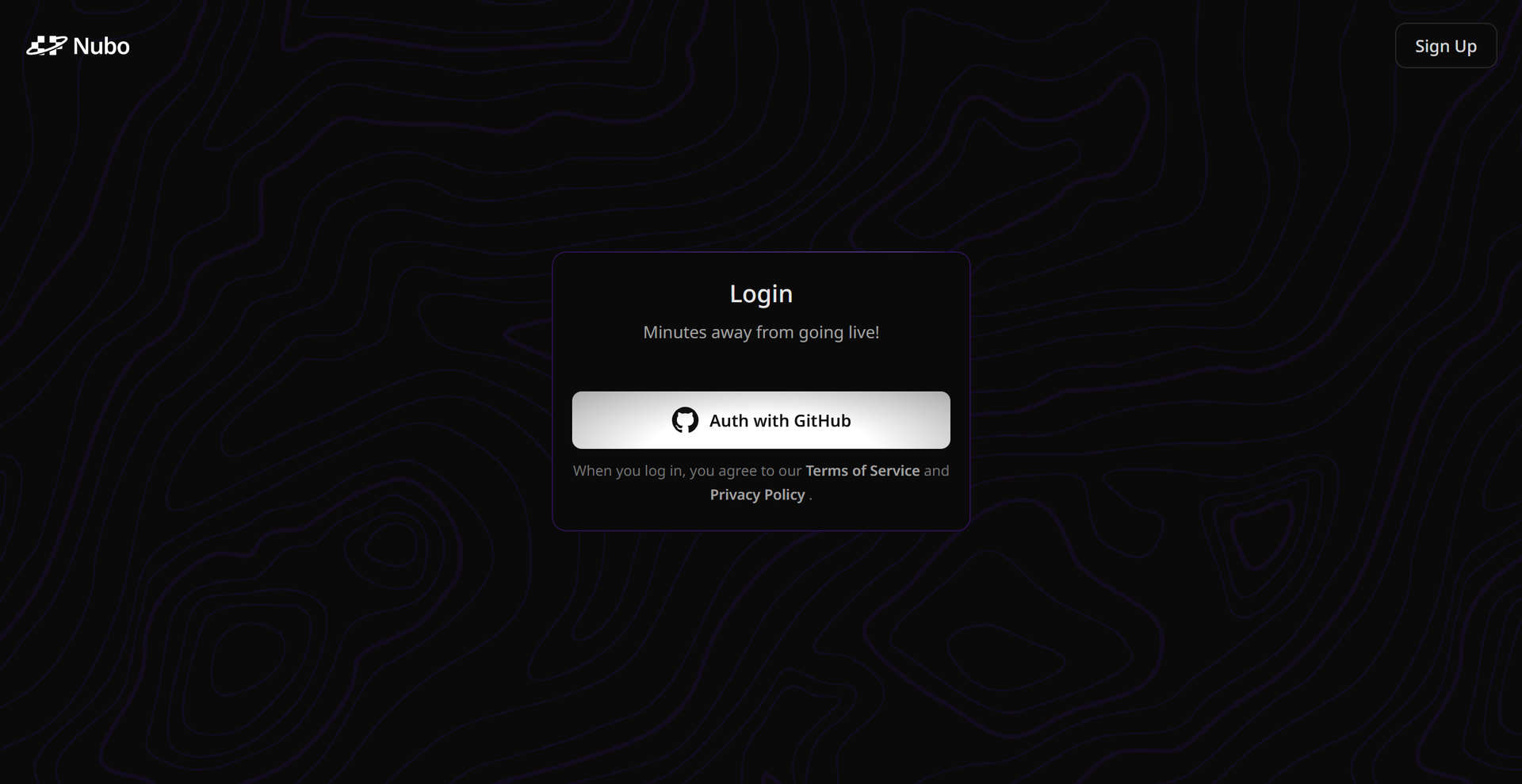 Consistency is key when communicating. Hence, we have updated our designs to the authentication routes to be more in line with our current branding and stylization.
### Other updates
* We have made performance and organization improvements to the Project's Architecture. Things should feel a bit more smooth.
### Conclusion
That's a wrap for this release notes. We hope that you enjoy these new updates. If you have any feedback feel free to email us at `support@withnubo.com` or join our [Discord](https://discord.com/invite/4SM4faYqWQ)
Consistency is key when communicating. Hence, we have updated our designs to the authentication routes to be more in line with our current branding and stylization.
### Other updates
* We have made performance and organization improvements to the Project's Architecture. Things should feel a bit more smooth.
### Conclusion
That's a wrap for this release notes. We hope that you enjoy these new updates. If you have any feedback feel free to email us at `support@withnubo.com` or join our [Discord](https://discord.com/invite/4SM4faYqWQ)
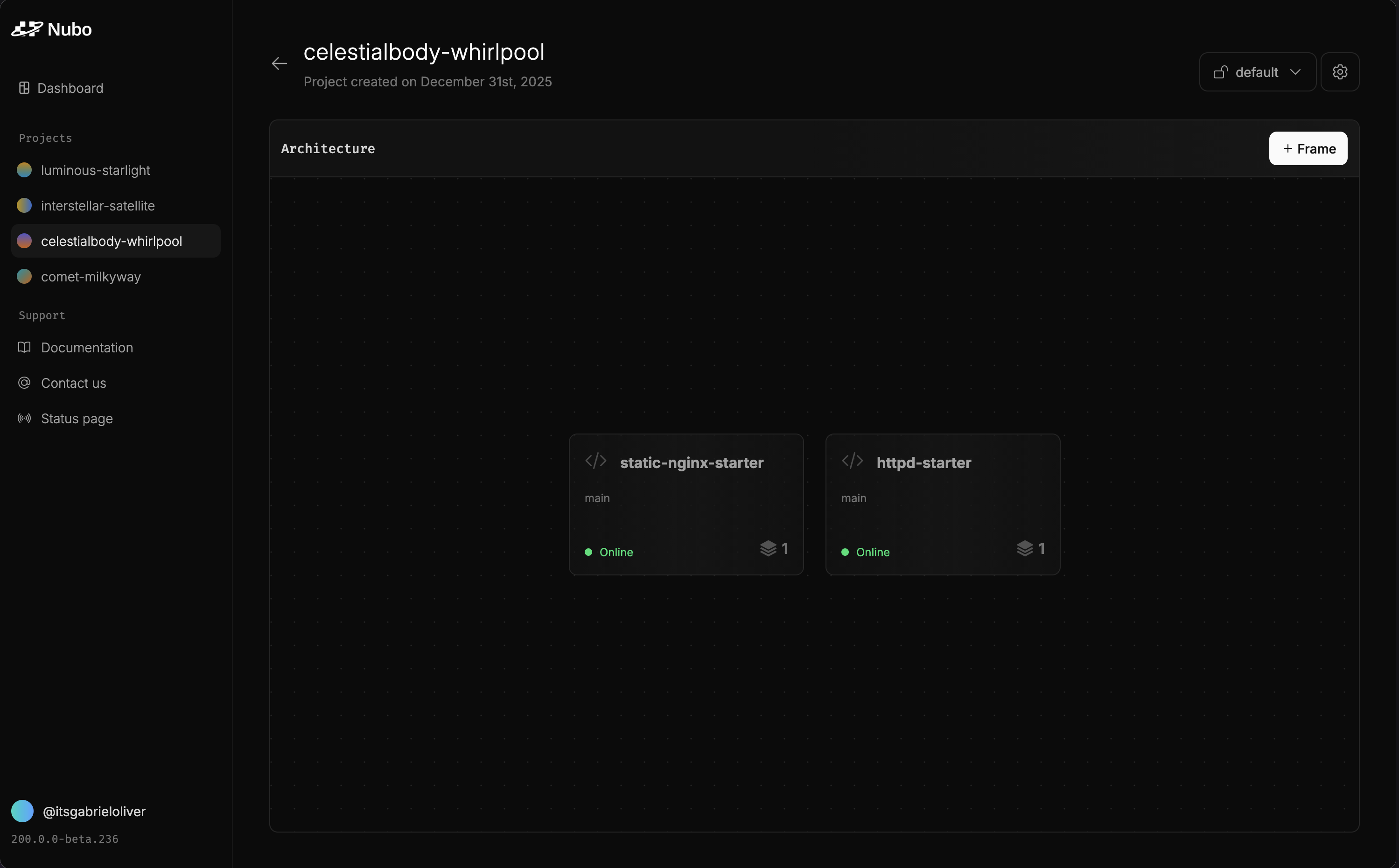
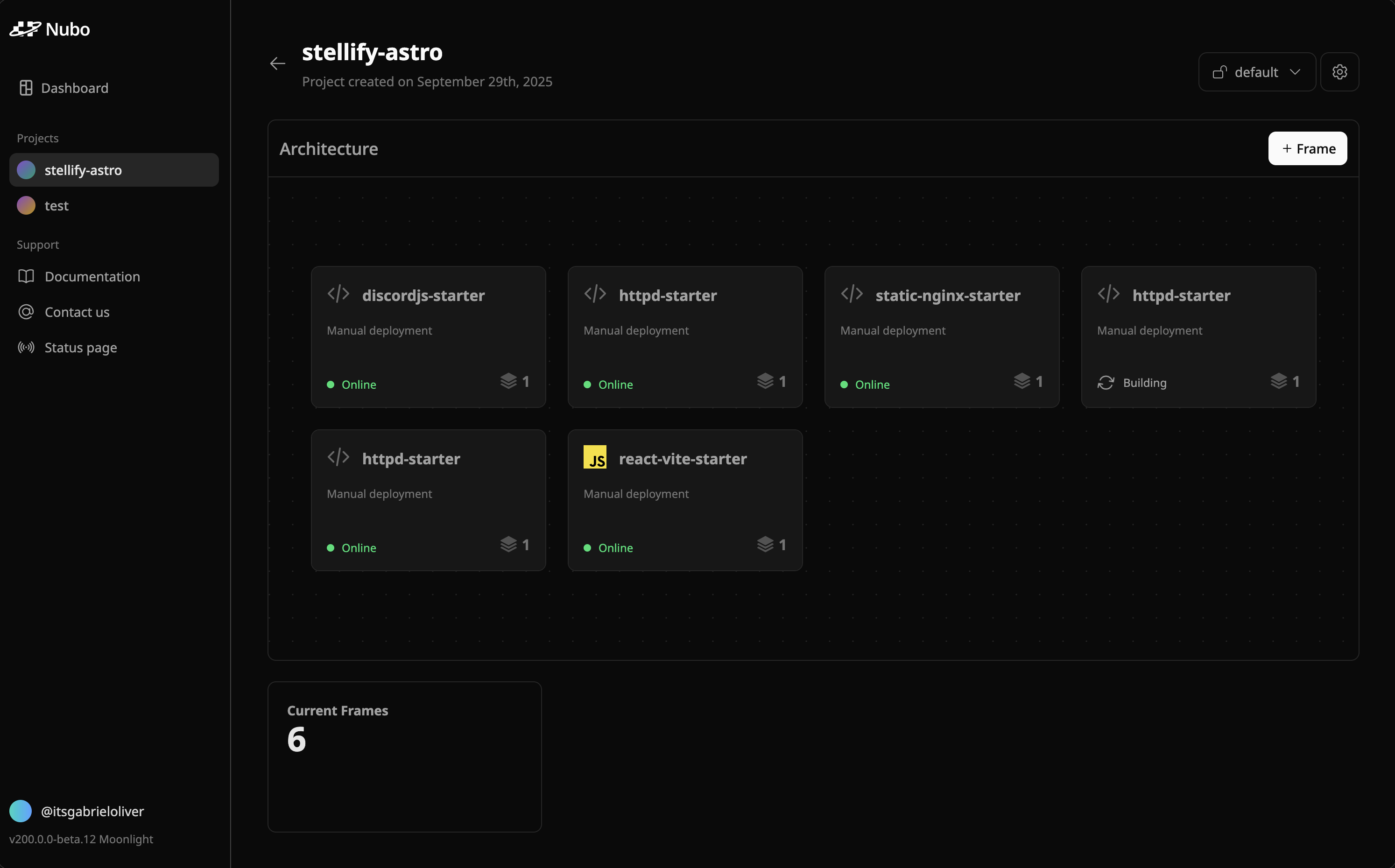 Visualize your Frames in a whole new way with our new Architecture. Designed to feel like a canvas, it nicely shows the status of your Space at a glance. See Frame statuses, languages, and the latest deployment triggers.
Frames are displayed in a dynamic grid that can be moved around to your liking.
### Other updates
* Added a toast message that syncs with our Status Page for alerting
* Fixed log duplication issues
* Added a better Frame display and settings on mobile
### Conclusion
That's a wrap for this release notes. We hope that you enjoy these new updates. If you have any feedback feel free to email us at `support@withnubo.com` or join our [Discord](https://discord.com/invite/4SM4faYqWQ)
Visualize your Frames in a whole new way with our new Architecture. Designed to feel like a canvas, it nicely shows the status of your Space at a glance. See Frame statuses, languages, and the latest deployment triggers.
Frames are displayed in a dynamic grid that can be moved around to your liking.
### Other updates
* Added a toast message that syncs with our Status Page for alerting
* Fixed log duplication issues
* Added a better Frame display and settings on mobile
### Conclusion
That's a wrap for this release notes. We hope that you enjoy these new updates. If you have any feedback feel free to email us at `support@withnubo.com` or join our [Discord](https://discord.com/invite/4SM4faYqWQ)
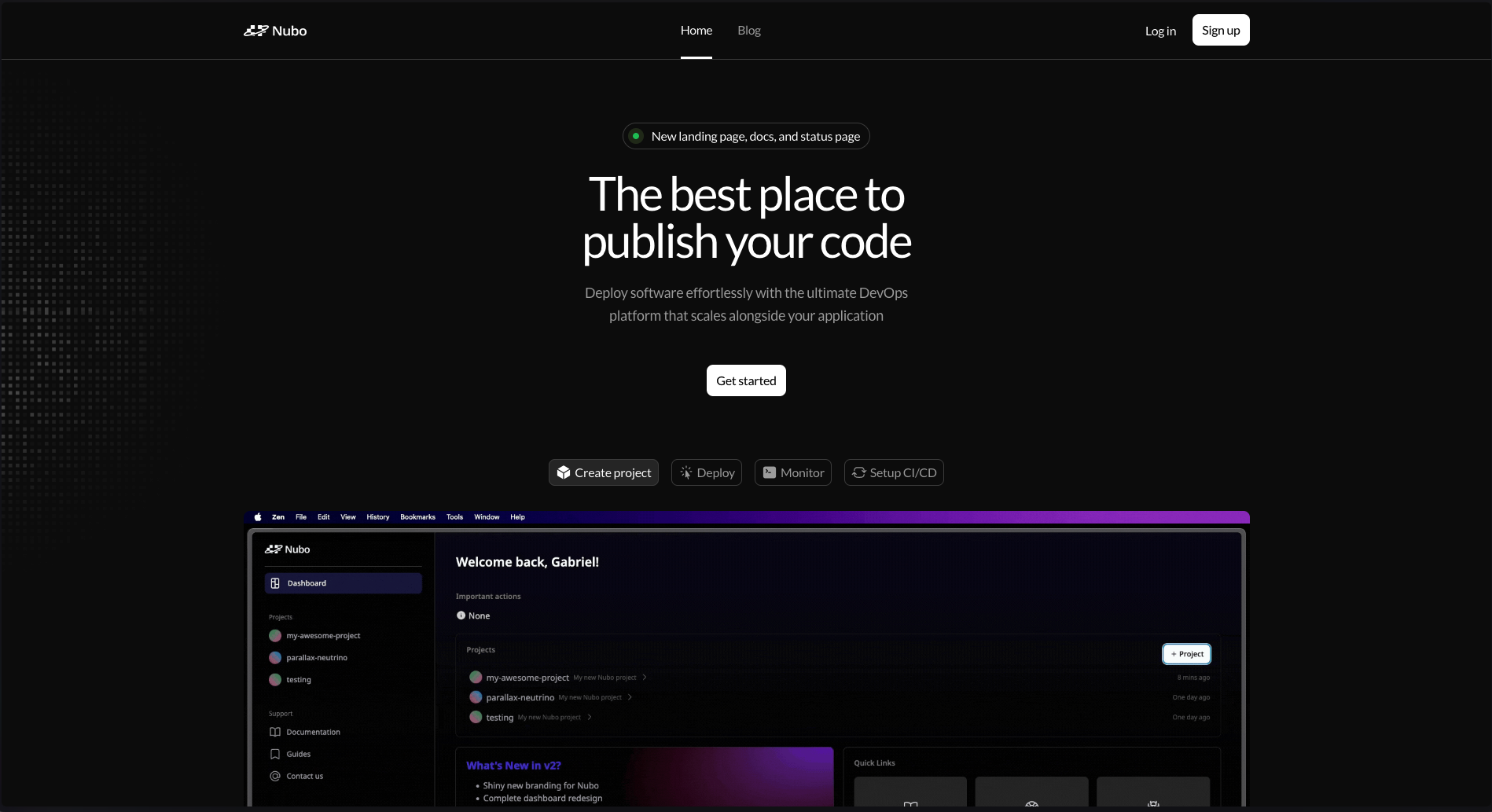 Ooooh, wowww. What a clean and sharp new design. It nicely demonstrates the steps in getting a product launched with each tabs! These tabs visually show each step by using gifs.
### Documentation
Writing documentation is always so much fun! Will many read it, probably not. But hey, at least it's here. We have created guides for each language and framework that we support.
We will be expanding and adjusting the documentation as needed. The docs are available now on the site that you are currently on. Simply click "Documentation" at the top left.
If you notice any issues or want to contribute. Submit a pull request on our [GitHub repository](https://github.com/withnubo/documentation).
### Is it down or just me?
Stay up to date on the status of Nubo with our brand new [status page](https://withnubo.statuspage.io/). There's not really much more to discuss about this.
### Configure your projects and your profile
We have also shipped new Project settings and User settings pages.
#### Project settings
Ooooh, wowww. What a clean and sharp new design. It nicely demonstrates the steps in getting a product launched with each tabs! These tabs visually show each step by using gifs.
### Documentation
Writing documentation is always so much fun! Will many read it, probably not. But hey, at least it's here. We have created guides for each language and framework that we support.
We will be expanding and adjusting the documentation as needed. The docs are available now on the site that you are currently on. Simply click "Documentation" at the top left.
If you notice any issues or want to contribute. Submit a pull request on our [GitHub repository](https://github.com/withnubo/documentation).
### Is it down or just me?
Stay up to date on the status of Nubo with our brand new [status page](https://withnubo.statuspage.io/). There's not really much more to discuss about this.
### Configure your projects and your profile
We have also shipped new Project settings and User settings pages.
#### Project settings
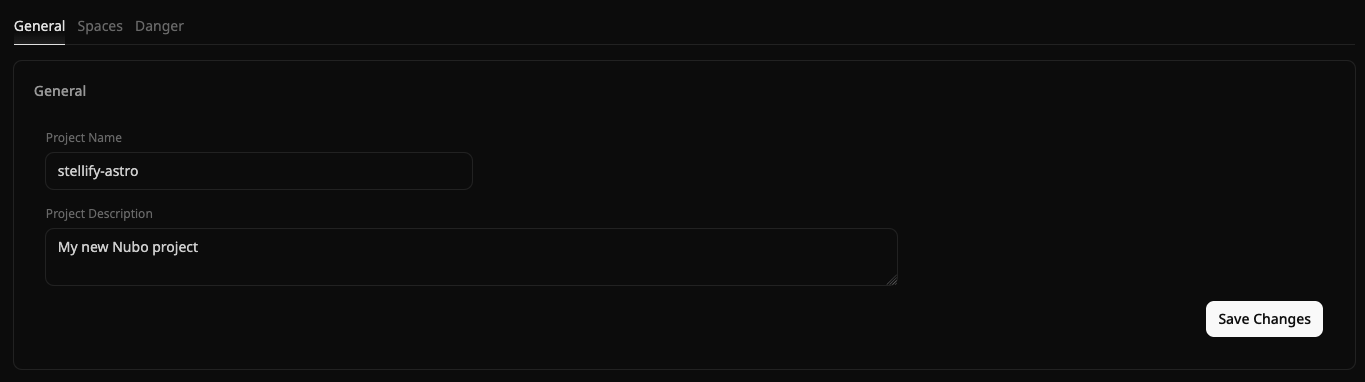 Project settings lets you configure the following:
* Project metadata (name and description)
* Spaces (create, edit, and delete)
* Danger actions (deleting project)
You can access the project settings now by clicking the gear icon at the top right when viewing a project.
#### User settings
User settings lets you configure the following:
* First and last name
* Company
This is available now by clicking your account tag (@myusername) at the bottom left in the dashboard.
### Other additions and fixes
* The dashboard is now slightly more responsive (still have some work to do)
* Made some UI/UX changes to the sidebar
* Added a new snazzy new dropdown for selecting a Space
* Added better page titles
* Fixed other UI inconsistencies
### Conclusion
That's a wrap for this release notes. We hope that you enjoy these new additions. If you have any feedback feel free to email us at `support@withnubo.com` or join our [Discord](https://discord.com/invite/4SM4faYqWQ)
Project settings lets you configure the following:
* Project metadata (name and description)
* Spaces (create, edit, and delete)
* Danger actions (deleting project)
You can access the project settings now by clicking the gear icon at the top right when viewing a project.
#### User settings
User settings lets you configure the following:
* First and last name
* Company
This is available now by clicking your account tag (@myusername) at the bottom left in the dashboard.
### Other additions and fixes
* The dashboard is now slightly more responsive (still have some work to do)
* Made some UI/UX changes to the sidebar
* Added a new snazzy new dropdown for selecting a Space
* Added better page titles
* Fixed other UI inconsistencies
### Conclusion
That's a wrap for this release notes. We hope that you enjoy these new additions. If you have any feedback feel free to email us at `support@withnubo.com` or join our [Discord](https://discord.com/invite/4SM4faYqWQ)